|
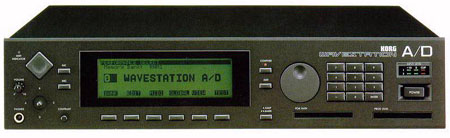
Great machine but you will eventually have to replace the internal battery that backs up your Synth's internal patch memory.
Replacing the battery on the Wavestation AD is quite simple. All you need is a phillips screwdriver and a lithium 1.5 V battery- CR2032. This is also the battery that you need to use in your Wavestation RAM cards.
When you remove the cover, you will see a printed circuit board. The battery is on the RIGHT hand side in a plastic battery holder (you can't miss it).
To remove the battery, you have to slide it to your LEFT hand side (there is a small spring that pushes it to the RIGHT) after which you can lift it up on the RIGHT hand side of the battery and take it out of the battery holder.
Inserting a new CR2032 battery, positive plus side up, is the opposite process. You just slide the battery in to the LEFT after which the spring will push it to the RIGHT and back into place.
The instructions I found on the web had all the rights and lefts mixed up which could cause somebody to apply pressure the wrong way and break the plastic battery holder.
I hope this helps. (I wish every synth had do-it- yourself replacement batteries instead of the soldered in ones).
|